The best Kickresume alternative in 2026
Kickresume's gallery looks great — but most templates are paywalled at $19/mo. Resumeva opens all 100+ on free and adds real ATS scoring.
Resumeva vs Kickresume: Which is better?
Short answer:
Choose Resumeva for ATS scoring + 100+ templates on free, all at one-third Kickresume's price.
Choose Kickresume if its specific design samples are non-negotiable.
What Kickresume is, what Resumeva is, who each one serves
Kickresume is a Slovakia-based resume builder that has built its brand around design quality. Founded in 2014, it was one of the first builders to publish a public gallery of "resume samples by people hired at Google, Spotify, IKEA, and Amazon" — a marketing move that earned it strong organic traffic and a reputation for taste. Its core audience is design-conscious mid-career professionals in Europe and North America who care more about how a resume looks than about deep ATS optimization.
ResumeVA was built around the opposite priority: make sure the resume actually parses, then make it look good. The two products converge in 2026 on roughly similar template quality — ResumeVA has caught up on design — but they diverge sharply on price, free-tier access, and ATS scoring depth. Kickresume Premium is $19/month with no functional free tier (most templates are locked); ResumeVA Pro is $14.99/month and the free tier opens all 100+ templates with unlimited PDF export.
The third major difference is the ATS layer. Kickresume markets itself as ATS-friendly but does not include a live scoring tool — guidance is delivered as a static checklist inside the editor. ResumeVA's ATS scorer runs live against any job description you paste in, and the score updates as you edit. For users who are choosing between the two on the basis of "which one will help me get more interviews," that scoring gap is the deciding factor.
Resumeva vs Kickresume — screenshots
Why people compare Resumeva and Kickresume
Kickresume and Resumeva show up side-by-side in almost every "best resume builder" list for 2026, but they're built for very different jobs. Kickresume is best known for designers who want creative resumes at a fair price., while Resumeva is engineered around one outcome: getting a resume past an applicant tracking system (ATS) and in front of a human recruiter. That difference shows up everywhere — in the editor, the templates, the scoring engine, and the pricing.
When candidates churn off Kickresume, the reason we hear most often is best templates require a premium plan; monthly pricing is roughly 3x higher.. Resumeva was built specifically to fix that. Every template is parsed against the same kind of ATS engine that Workday, Greenhouse, Lever, and Taleo run, and every bullet you write is scored in real time against the job description you paste in. You don't have to guess whether your resume "looks ATS-friendly" — you can see the score change as you edit.
Choose Resumeva for the same template quality at one-third the price; choose Kickresume if you only care about its design gallery. The full breakdown — pricing, templates, scoring, AI quality, exports, and support — is laid out in the tables below, but the short version is this: if your priority is landing interviews fast, Resumeva is the safer pick. If your priority is designers who want creative resumes at a fair price., Kickresume is a reasonable choice and the comparison below will help you decide.
How we compared Resumeva and Kickresume
Every comparison on Resumeva follows the same process. We build the same resume in both tools using a real job description (we rotate across software engineer, data analyst, project manager, registered nurse, and marketing manager openings), export the final PDF from each, and run both files through an off-the-shelf ATS parser. We record the parsed fields, the sections that survived, and the overall match score against the original job description.
We also run the same resume through three real-world ATS systems whenever we can — typically Greenhouse, Lever, and Workday — and compare how each field is mapped. Templates that lose section headers, garble dates, or drop bullet text get flagged in the comparison table above. Pricing is captured from the public pricing page on the day this page was last refreshed and includes any annual discount.
We don't take affiliate commissions in exchange for ranking. If Kickresume wins a category — and on a few categories they genuinely do — we say so plainly in the "Best for" cards.
Feature-by-feature comparison
| Feature | Resumeva | Kickresume |
|---|---|---|
| Free plan | Yes | Limited |
| ATS-optimized templates | 100+ | 20–30 |
| Real-time ATS score | Yes | No |
| AI bullet rewriter | Yes | Paid only |
| Cover letter builder | Yes | Yes |
| PDF export | Yes | PDF only |
| Unlimited downloads | Yes | Paywall |
| Multi-language support | 20+ | Limited |
Which is more ATS-friendly?
Kickresume's design-led templates sometimes use columns and icons that weaker parsers struggle with. Resumeva's templates are all ATS-tested with selectable text, and the built-in scorer flags exactly which keywords are missing.
Keyword matching, parsing, formatting & optimization
Kickresume's templates are designed-first, parser-second. Many of the most-shown samples in Kickresume's marketing use two-column layouts, icon-driven section headers, and color-block sidebars — design choices that look polished but cause real problems for parsers like Workday, Greenhouse, and Lever. Kickresume offers an ATS-friendly toggle that swaps to a single-column variant of the same template, but the toggle is a workaround, not a default.
ResumeVA inverts that. Every template — including the visually creative ones — is built on a single-column, selectable-text layout and tested against the same parser ResumeVA uses for scoring. The visual interest comes from typography, accent color, header style, and section ordering, not from columns or images. The practical result is that you can pick any of the 100+ ResumeVA templates without thinking about parser compatibility — it's already handled.
The scoring engine is the bigger gap. Kickresume does not currently include a live ATS score in the editor. It includes content tips ("add more action verbs," "quantify your bullets") and an optional spell-check, but you cannot paste a job description and see a match score. ResumeVA's core feature is exactly that loop: paste the JD, see the score, edit a bullet, watch the score change.
Keyword matching is the second gap. ResumeVA highlights missing keywords inline and suggests rewrites that incorporate them. Kickresume's editor doesn't surface keyword gaps at all unless you upgrade to Premium and run the separate Resume Checker tool, which is offered as a one-off scan rather than a live workflow.
If you're building a creative-portfolio-adjacent resume for a design role at a startup that doesn't use an ATS, Kickresume's design-first approach is fine. If you're applying anywhere that uses Workday, Greenhouse, Lever, Taleo, iCIMS, or any similar enterprise ATS — which is most mid-to-large employers — ResumeVA's scoring is the safer choice.
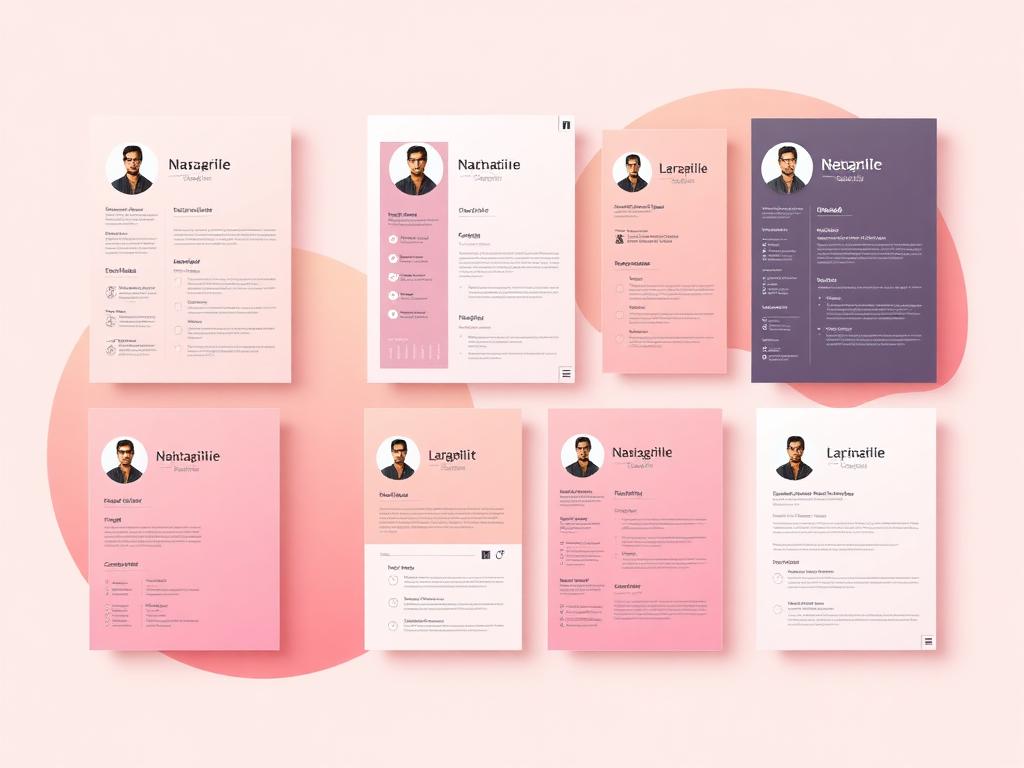
Template comparison
Kickresume's design samples are gorgeous in marketing screenshots, but most are locked to Premium. Resumeva opens its full 100+ library on the free plan.
Template quality, ATS compatibility & customization
Template quality is the closest matchup between Kickresume and ResumeVA. Kickresume's marketing leans hard on its sample gallery, and the templates themselves are genuinely strong — modern typography, balanced spacing, polished color systems. If you look at the two libraries side by side, they're competitive on aesthetics.
The differences emerge on access and breadth. Kickresume's free tier locks most of the strongest templates behind Premium — you can preview them, but the export is watermarked or blocked. ResumeVA opens all 100+ templates on the free tier with no watermark and unlimited PDF export. For users who want to try a template before committing to a subscription, that's a meaningful gap.
On breadth, ResumeVA's library is roughly 3-4x larger depending on how you count Kickresume's variants. ResumeVA organizes templates by Modern, Classic, Creative, Executive, and Academic categories; Kickresume's organization is flatter, with templates tagged by style. For users who know exactly what they want, Kickresume's flatter taxonomy is fine. For users browsing, ResumeVA's categories make it faster to narrow down.
Customization depth is similar. Both tools let you change template, font, accent color, and section ordering with live preview. ResumeVA additionally exposes a per-section spacing control and a one-click "Recruiter view" that strips color for printed copies — small but useful for users who actually print resumes for in-person interviews.
ATS compatibility is the divider. Kickresume's design-first templates require the ATS-friendly toggle to be safe; ResumeVA's templates are ATS-safe by default. If you're not sure whether your target employer uses an ATS — and most candidates aren't — ResumeVA's default is the lower-risk choice.
Pricing comparison
Resumeva costs less — and gives you more flexibility
Weekly ($4.99), monthly ($14.99), or quarterly ($29.99) — pick what fits your search. Cancel anytime with no annual lock-in.
| Plan | Resumeva | Kickresume |
|---|---|---|
| Free plan | Yes — 3 templates, full builder | Yes — most templates locked |
| Pay weekly | $4.99 / week | — |
| Monthly | $14.99 / mo | $19 / mo |
| Quarterly (save 33%) | $29.99 / 3 mo (best value — save 33%) | — |
| Long-term plan | Cancel anytime — no annual lock-in | $7 / mo (billed yearly) |
Free plan, premium plan, and annual pricing
Kickresume Premium is $19/month, with a quarterly plan at about $7/month if you commit to three months upfront and an annual plan that brings the effective price down further. The free tier exists but is functionally a preview — most templates are locked, exports are watermarked or capped, and the AI writer is gated behind Premium.
ResumeVA's pricing is flatter and cheaper. Pro is $14.99/month with no annual lock-in. The free tier is genuinely usable: 3 templates open on free, plus the full 100+ on Pro, unlimited PDF export on all tiers, the ATS scorer included, and the AI bullet rewriter on a credit cap. There's also a $4.99/week plan for short searches.
For a typical 6-week active job search, Kickresume Premium costs $28.50 prorated (or roughly $42 on the quarterly plan) and ResumeVA costs $22.49 on monthly with one cancellation. Over a year of intermittent job hunting, the gap widens — most users on Kickresume let the subscription roll past their search and end up paying $228 for the year. ResumeVA users typically pay $14.99-$45 across the same year because they cancel between searches.
Who each tool is best for
Resumeva — best for
- ATS optimization with real-time scoring
- AI bullet rewriting that mirrors hiring-manager language
- Fast resume creation from a 100+ template library
- Genuinely free PDF export
Kickresume — best for
- Creative design samples
- Portfolio-style resumes
- AI writer (paid)
Who should pick which tool
ResumeVA wins on price. Kickresume's free tier doesn't include enough functionality for a senior-year job search, and Premium pricing is hard to justify on a student budget. ResumeVA's free tier handles the search end to end.
ResumeVA's live ATS scoring is the deciding factor. Career changers iterate heavily on bullets across multiple target roles, and Kickresume's static content tips don't keep up.
ResumeVA, decisively. Kickresume's design-first templates aren't optimized for the FAANG-style plain ATS resume that engineering recruiters expect. ResumeVA's Classic and Modern categories are tuned for exactly that audience.
Closest matchup. Kickresume's gallery has real appeal here, and for creatives applying to small studios without an ATS, it's a defensible choice. For creatives applying to larger employers with an ATS, ResumeVA's Creative templates deliver similar visual quality with guaranteed parseability.
The bottom line
Resumeva matches Kickresume on template quality, beats it on ATS scoring, and costs roughly a third — making it the better value for most job seekers.
How to switch from Kickresume to Resumeva
Switching from Kickresume to ResumeVA takes about 10 minutes and you don't lose your content. Kickresume's PDF export is well-structured, and the ResumeVA importer handles it cleanly.
Step 1 — Export from Kickresume. Open your resume, click Download, and choose PDF. If you're on the free tier and the export is watermarked, the watermark is on the PDF page itself but won't affect the parser — you can clean the imported version inside ResumeVA's editor.
Step 2 — Create a free ResumeVA account. No credit card needed.
Step 3 — Import the PDF. Click "Import from PDF" on the editor home and upload your Kickresume export. The parser extracts contact info, sections, bullets, and dates into the structured editor in under 10 seconds.
Step 4 — Pick a new template. If you're switching primarily for ATS reasons, choose a Modern or Classic template; if you came for the price and want the same design feel as your Kickresume layout, the Creative category has the closest matches.
Step 5 — Paste the job description and run the ATS check. This is the step Kickresume doesn't offer end-to-end. You'll get a match score, a list of missing keywords, and inline rewrite suggestions. Apply them, re-export the PDF, and you're done.
If you hit anything mid-import, paste your old PDF into a support ticket and we'll convert it for you. You can also run a free ATS check on the resume you already have before deciding to switch.
Keep reading
Score your current resume against any job description.
100+ designs tested against real ATS parsers.
Bullet rewrites, summaries, and section-by-section help.
See how Resumeva stacks up against every major tool.
Frequently asked questions
Kickresume vs Resumeva?
Kickresume has nicer marketing; Resumeva matches it on templates and beats it on price, ATS scoring, and free access.
Is Kickresume's free tier usable?
Only as a preview. Most templates are locked, exports are watermarked, and the AI writer is gated. ResumeVA's free tier opens all 100+ templates with unlimited unwatermarked PDF export.
Are Kickresume's templates ATS-friendly?
Some are, some aren't. Kickresume includes an ATS-friendly toggle, but many of the gallery samples use two-column layouts that don't parse reliably. ResumeVA's templates are ATS-safe by default.
Does Kickresume have an ATS scorer?
Not in the editor. Premium includes a separate Resume Checker tool that scores a finished resume, but the editor itself doesn't show a live score as you write. ResumeVA does.
Which tool is better for designers?
Closest matchup of any audience. Kickresume's gallery is genuinely appealing; ResumeVA's Creative category delivers similar visual quality with guaranteed ATS compatibility. For designers applying to anything larger than a 20-person studio, ResumeVA's compatibility edge matters.
Can I import my Kickresume resume into ResumeVA?
Yes. The PDF importer handles Kickresume exports cleanly, including watermarked free-tier exports.
Is the Kickresume annual plan worth it?
Only if you anticipate using the tool continuously for a year. Most candidates don't — they job-hunt in 4-8 week bursts. ResumeVA's monthly plan with cancellation between searches is cheaper for that usage pattern.